Nov 11, 2026
How to Choose a Design Feedback Tool for Your Team
Hussain Abdullah
19 min read
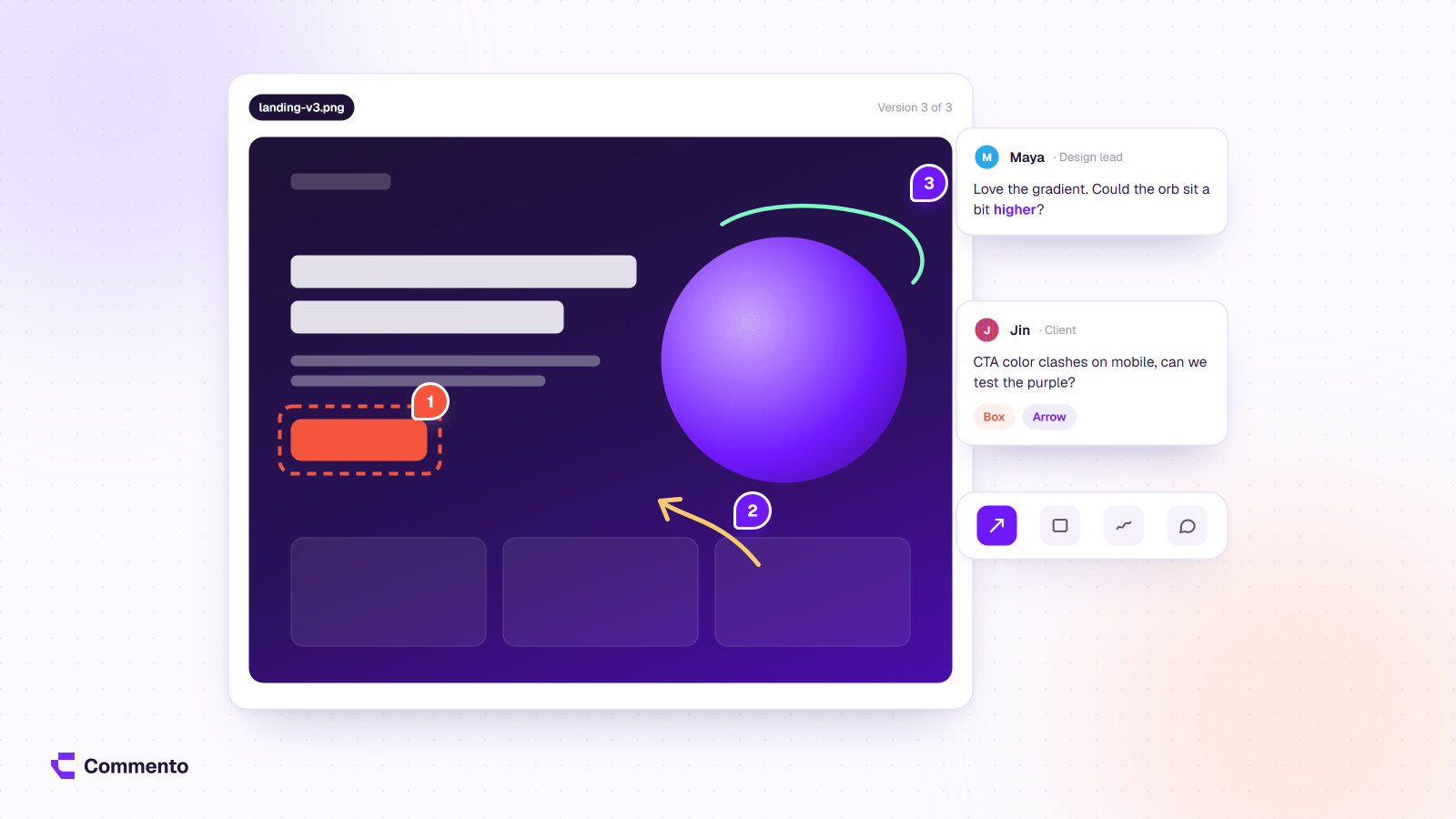
Choosing a design feedback tool is an important decision for any creative team. Whether you design websites, create social media graphics, prepare marketing materials, or work on client projects, the way you collect feedback can affect how smoothly your work moves from the first design to final approval.
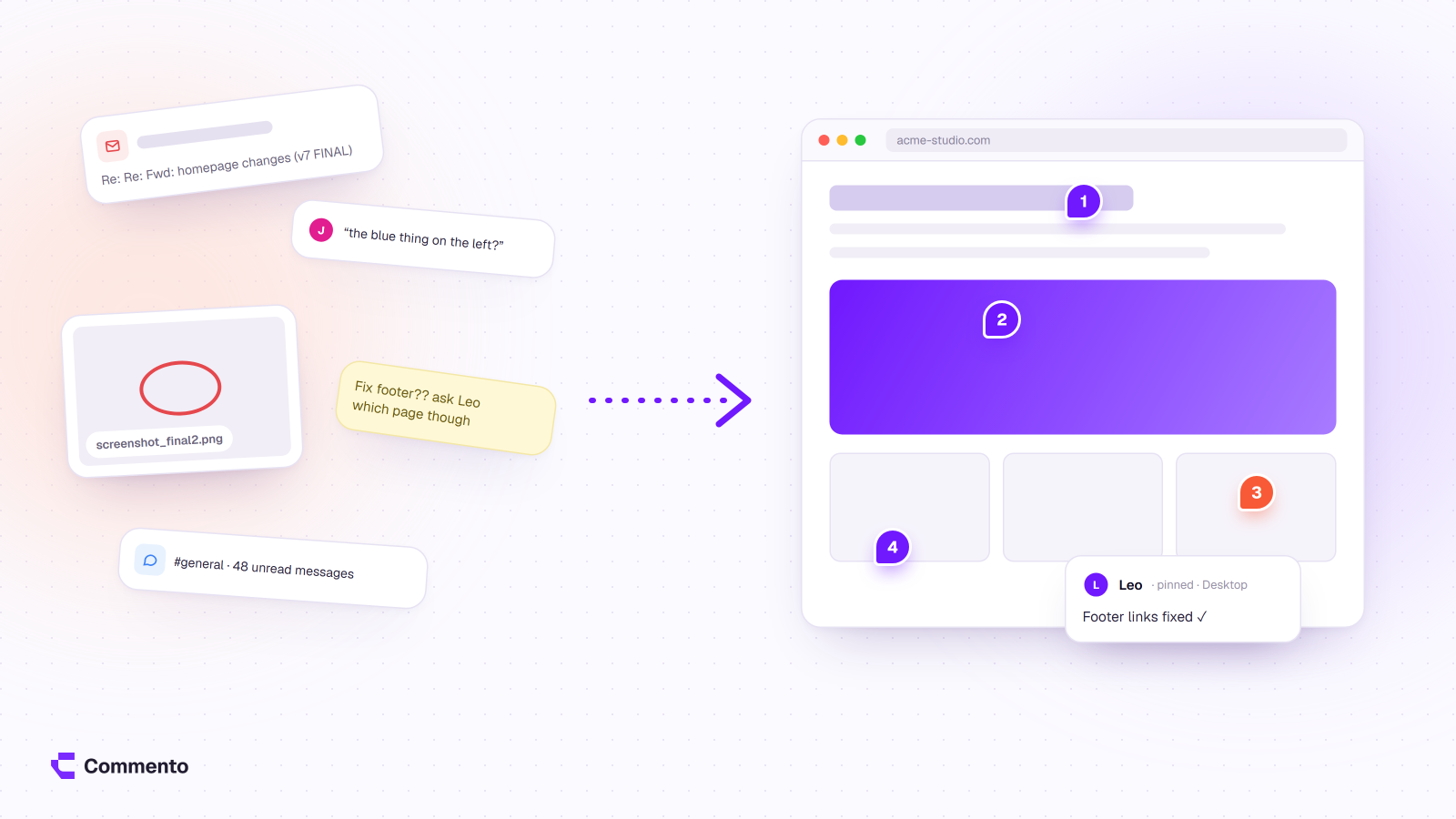
Many teams start with email, messaging apps, shared folders, and screenshots. These methods may work when a project is small, but they can become difficult to manage when several people need to review the same design. A client might request a change to an image, another team member might suggest a different layout, and the designer may receive comments on different versions of the same file.
The problem is not always the amount of feedback. It is knowing which comment belongs to which part of the design and what needs to happen next.
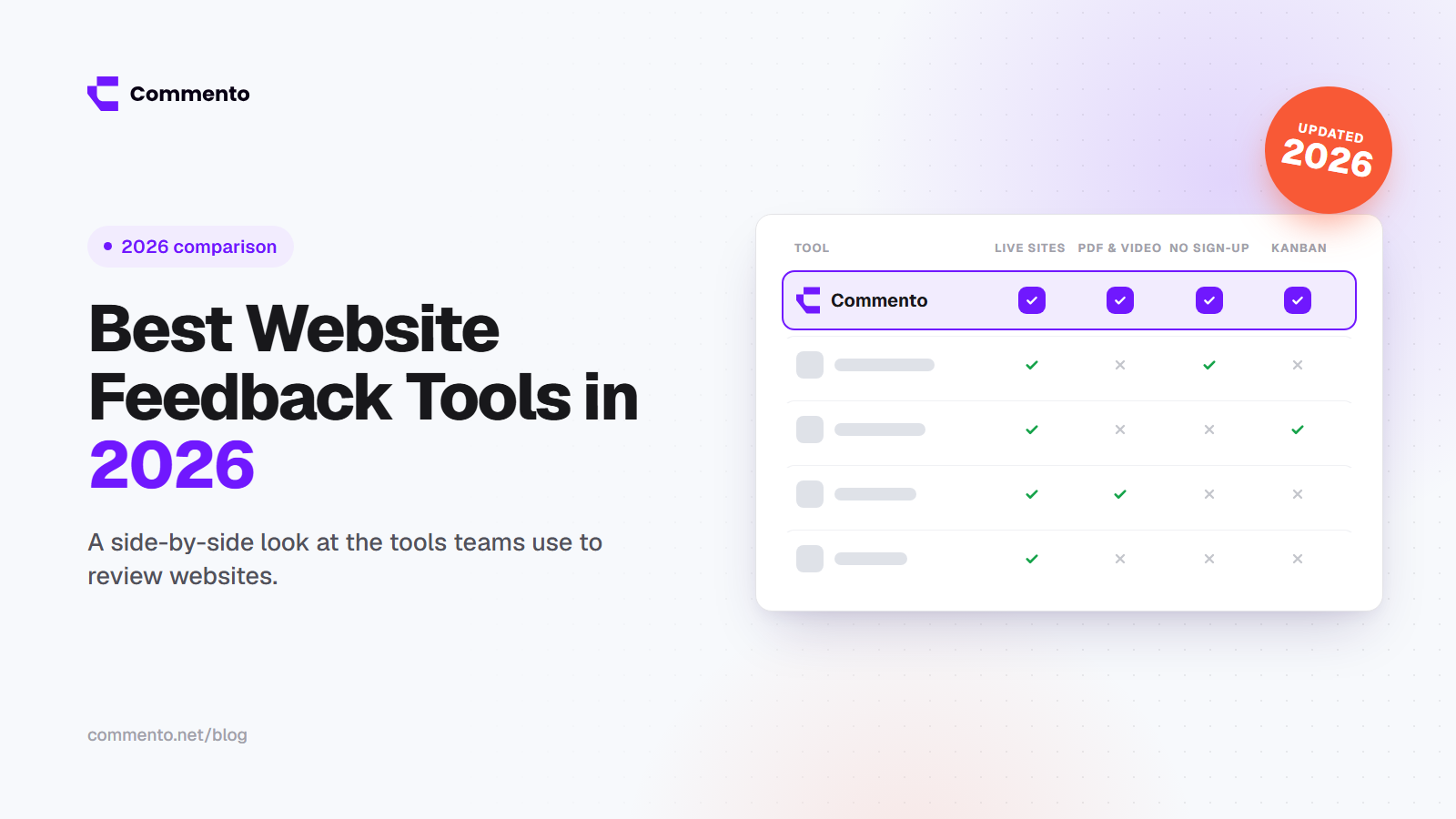
A suitable design feedback tool gives your team a more organized way to review creative work. However, not every tool offers the same features. Some are made for live website reviews, while others focus on graphic design, video reviews, document approvals, or project management.
So, how do you choose the right one?
In this guide, we will look at the features worth considering, the differences between available tools, and the questions you should ask before making a decision.
1. Understand What Your Team Actually Needs to Review
Before comparing design feedback tools, think about the type of work your team produces.
A graphic designer reviewing a social media banner has different requirements from a web designer checking a landing page. Similarly, a marketing agency managing campaign approvals may need features that a small design studio does not use.
Start by identifying the main types of creative work your team reviews.
Type of creative work | Common review requirements | Suitable tool capabilities |
|---|---|---|
Website designs | Layout, spacing, typography, responsiveness | Live website commenting and visual annotations |
Graphic designs | Colors, images, text placement and alignment | Image comments and drawing tools |
Social media creatives | Branding, text, image placement and campaign changes | Image review and client comments |
Landing pages | Content, buttons, sections and visual presentation | Website review and comment tracking |
Marketing materials | Brand consistency, content and final approval | File sharing and organized review discussions |
UI and app designs | Screen layouts, buttons and user interface elements | Image annotations and design review |
This step helps you avoid paying for features your team does not need.
For example, if your team mainly creates website designs, a tool focused entirely on document approvals may not be the right choice. On the other hand, if you regularly review banners, product images, and campaign graphics, image commenting should be one of your priorities.
The right choice depends on the work your team reviews every week, not simply the number of features a product advertises.
2. Look for Visual Commenting Instead of Text Only Feedback
One of the first features to look for in a design feedback tool is the ability to leave comments directly on the design.
Imagine that a client wants you to change the position of a logo on a promotional banner. They send a message saying:
"Please move the logo a little to the left."
But which logo? How far should it move? Should it align with the heading or the edge of the image?
The designer may need to contact the client again to understand the request.
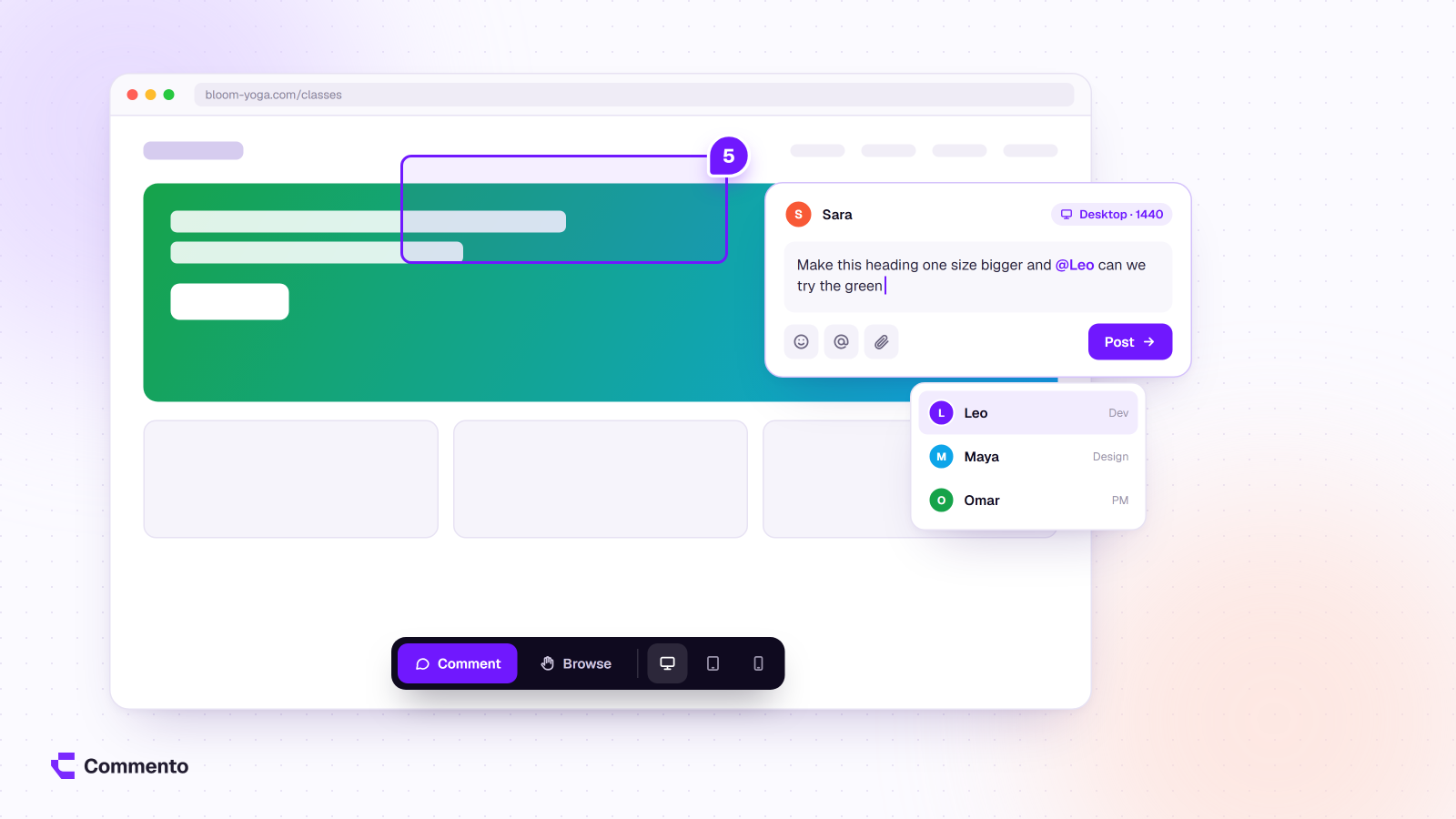
A tool with visual commenting makes this easier. The reviewer can click on the exact area of the design and leave a comment there. The designer can see the location immediately without trying to understand a long written explanation.
When comparing tools, check whether they support:
Comments attached to specific areas of a design.
Arrows, boxes, and freehand drawings.
Separate discussion threads for individual comments.
Replies and reactions.
The ability to resolve completed feedback.
These features are especially useful when reviewing detailed designs with multiple elements.
Why does this matter for graphic designers?
A graphic design feedback tool should make it easy to discuss visual details.
For example, a marketing team might need to review a promotional banner containing a logo, headline, product image, background, and call to action.
Instead of receiving five separate messages, reviewers can place comments directly on the relevant parts of the image.
This gives the designer a clearer understanding of every requested change.
3. Make Sure the Tool Supports Your Main Design Formats
Creative teams rarely work with only one type of file.
A single project may include website pages, screenshots, social media graphics, PDF documents, product images, and videos.
If your feedback tool only supports one format, you may need additional platforms for other projects. This can make your review process harder to manage.
Before choosing a tool, check its supported formats.
Format | What your team might review | What to look for |
|---|---|---|
Images | Banners, advertisements and social media posts | Pinned comments and drawing tools |
Websites | Landing pages and live websites | Comments on page elements |
PDFs | Proposals, brochures and presentations | Page based annotations |
Videos | Advertisements and promotional videos | Comments connected to video content |
Screenshots | App screens and website mockups | Accurate visual comments |
Not every design feedback tool supports all these formats. Some products focus on static files, while others are designed around live websites.
If your team handles different types of creative work, choose a platform that can cover your most common review needs in one place.
For example, Commento allows teams to review websites, images, videos, and PDFs through a shared review workspace.
You can explore its image feedback feature to see how teams can upload designs, add comments to specific areas, and use drawings to explain requested changes.
4. Choose a Website Design Feedback Tool That Works on Live Pages
Website design reviews require a different approach from reviewing a static image.
A screenshot can show how a page looked at a particular moment, but it does not always represent how the website behaves when someone scrolls, opens a menu, or views it on another screen size.
This is why website designers should consider a website design feedback tool that supports live or published website reviews.
Here are some features worth checking:
Comments on live website elements
Reviewers should be able to point to the actual section, button, heading, or image they want to discuss.
Different screen sizes
Your team should be able to review the website on different viewport sizes, especially when checking desktop and mobile layouts.
Page specific feedback
Comments should remain connected to the relevant page so the designer can understand which part of the website needs attention.
Easy client access
Clients should be able to open the review link without installing complicated software or learning a new design platform.
Comment status
Your team should know which requests are still open and which changes have been completed.
These features can be useful for agencies that share staging websites with clients before launching a project.
A client can review the actual website, point to a particular element, and explain what needs to change. The designer can then work through the comments without relying on separate screenshots and messages.
5. Make Client Access Simple
A design feedback tool may have excellent features, but it will not help much if your clients find it difficult to use.
Think about your usual review process. Do clients need to create an account? Install a browser extension? Download a file? Request access from an administrator?
Every additional step can make the review process less convenient.
For agencies and freelancers, this is particularly important because clients may not use the same design software as the creative team.
Look for a tool that offers:
Shareable review links.
Guest access for clients.
No mandatory software installation for reviewers.
A simple commenting interface.
Clear access permissions.
For example, imagine that your agency has completed a website homepage for a client. You send the client a review link, and they can open it in their browser and leave comments directly on the design.
They do not need to understand your internal design process or learn a complicated platform.
This makes it easier for nontechnical clients to participate in the review.
6. Check How the Tool Organizes Feedback and Revisions
Collecting comments is only one part of the review process. Your team also needs a way to manage those comments after they arrive.
Consider a project with 30 feedback points. Some relate to typography, others concern images, and a few require changes to the page layout.
If every comment stays in an unorganized conversation, it becomes difficult to understand what has already been completed.
A good design feedback tool should help your team keep track of discussions and their progress.
Feature | Why it matters | What to check |
|---|---|---|
Threaded comments | Keeps discussions connected to individual changes | Can reviewers reply to a specific comment? |
Resolved comments | Shows which requests have been completed | Can users mark feedback as resolved? |
Internal comments | Allows private team discussions | Can the team discuss changes without showing clients? |
Notifications | Helps team members follow new activity | Are users notified about relevant updates? |
Project organization | Keeps different client projects separate | Can you manage multiple review projects? |
File attachments | Makes it easier to share references | Can reviewers attach supporting files? |
Internal discussions are particularly useful for agencies.
For example, a client may request a change to a homepage banner. Before responding, the designer might want to discuss the request with the marketing manager.
Having an internal discussion option allows the team to handle that conversation without including the client.
It is also worth checking whether resolved comments remain accessible. You may need to revisit an earlier decision when a client requests another revision.
7. Compare Pricing With Your Actual Team Size
Pricing is another important part of choosing design feedback tools.
Some platforms charge per user, while others offer plans based on projects, usage, storage, or team size.
The cheapest option is not always the most affordable in practice. A tool with a low starting price may become expensive when you add more designers, project managers, and external reviewers.
Before purchasing a subscription, understand how the pricing model works.
Pricing model | How it works | Best suited for |
|---|---|---|
Per user | You pay according to the number of team members | Small teams with a fixed number of users |
Per project | Pricing depends on active or available projects | Agencies managing several client projects |
Usage based | Costs depend on storage, activity, or usage limits | Teams with changing review requirements |
Flat rate | A fixed amount covers a defined set of features or users | Teams that want predictable monthly costs |
You should also check whether clients and external reviewers count toward your paid user limit.
This matters because an agency may have five internal employees but work with 15 different clients in a month.
If every client needs a paid seat, the total cost can increase quickly.
Questions to ask about pricing
Before selecting a subscription, check:
How many projects can you create?
Are external reviewers included?
Is there a limit on comments or file uploads?
How much storage is available?
Are essential features included in the basic plan?
Can you cancel or change your subscription easily?
Do not choose a platform based on its advertised starting price alone. Calculate what it will cost your team under normal working conditions.
8. Check Whether It Fits Your Existing Workflow
Your creative team probably already uses several applications.
Designers might work with Figma, Photoshop, Illustrator, or other creative software. Project managers may use tools such as Trello, Asana, ClickUp, or Jira.
A new design feedback tool should fit into the way your team already works.
For example, if your team creates designs in Figma but sends clients published website links for final review, you should check whether the feedback platform supports the actual review stage you need.
Also consider how feedback moves from the reviewer to the person responsible for making the change.
Ask yourself:
Can designers share work without exporting unnecessary files?
Can clients review designs without learning a new application?
Can the team mention the right person in a discussion?
Can comments be tracked until the requested change is completed?
Does the platform work alongside the tools your team already uses?
One important point is that design creation and design review are not necessarily the same activity.
A platform used to create a design may have its own commenting system, but that does not automatically make it the best option for reviewing a live website with clients.
Choose a feedback platform based on the stage of work where your team needs the most help.
9. Understand the Difference Between Website and Graphic Design Feedback Tools
This is an important distinction when comparing design feedback tools.
Although website and graphic designers both work with visual content, their review requirements are not identical.
A graphic designer may need to discuss the position of an image, the size of a heading, or the colors used in a promotional design.
A website designer may need to check navigation, responsive layouts, spacing, buttons, and how different sections appear in a browser.
Some platforms support both types of work, while others specialize in one area.
Comparison | Website design feedback tool | Graphic design feedback tool |
|---|---|---|
Main purpose | Review website pages and web layouts | Review static visual designs |
Typical work | Landing pages, web apps and staging sites | Banners, posters and social media graphics |
Main review method | Comments on website elements | Comments on image areas |
Important features | Live page reviews and screen size checks | Image annotations and drawing tools |
Common users | Web designers, developers and agencies | Graphic designers and marketing teams |
Client involvement | Reviewing website changes before launch | Approving creative designs before publication |
If your team works on both websites and graphic designs, look for a platform that supports both workflows.
This can reduce the need to maintain separate review processes for different projects.
10. Test the Tool Before Making a Long Term Commitment
Reading feature lists and comparing pricing pages is useful, but you should also try the platform with an actual project.
A tool might look simple in a product demonstration but feel different when several people start reviewing the same design.
A short trial can help you understand whether the product suits your team's daily work.
Here is a simple way to test it.
Testing step | What to do | What you should learn |
|---|---|---|
Create a project | Add a website or design file | How easy is the initial setup? |
Invite a reviewer | Share the project with a client or teammate | Is access straightforward? |
Add comments | Ask the reviewer to comment on different areas | Are comments easy to understand? |
Discuss changes | Reply to comments and add internal notes | Can the team communicate clearly? |
Resolve feedback | Complete a few requested changes | Is progress easy to track? |
Review the experience | Ask your team and client for feedback | Would they use it for future projects? |
Do not test a platform using only a simple image with two comments.
Use a real project that represents your normal workload. Include several reviewers, different types of changes, and at least one revision round.
That will give you a much better idea of whether the platform is worth paying for.
11. Which Design Feedback Tool Is Right for Your Team?
There is no single tool that is the best choice for every creative team. Your decision should depend on the type of projects you manage, the people involved in reviews, and the way you prefer to collect feedback.
Here are some practical recommendations based on different team requirements.
Team type | What to prioritize | Suitable capabilities |
|---|---|---|
Freelance designers | Simple client reviews | Shareable links, image comments and guest access |
Web design agencies | Website reviews and client approvals | Live website comments, project tracking and annotations |
Graphic design teams | Reviewing creative files | Image uploads, drawing tools and comment threads |
Marketing departments | Campaign and creative reviews | Multiple file formats, internal discussions and notifications |
UI and UX teams | Reviewing interface designs | Pixel specific comments, image annotations and discussions |
In-house creative teams | Collaboration across departments | Guest access, project organization and comment tracking |
What if your team handles different creative projects?
If your team works with websites, graphics, screenshots, and other visual materials, choosing a platform that supports multiple formats can make your work easier.
Instead of asking clients to use different applications for different projects, you can share a review link and let them provide feedback in one place.
This is particularly useful for creative agencies that manage several clients and need a consistent way to review their work.
12. Why Consider Commento for Your Creative Team?
If you are looking for a design feedback tool that supports both website and creative file reviews, Commento is worth exploring.
Commento gives designers, agencies, and creative teams a shared place to collect and manage visual feedback.
Rather than depending on separate conversations for every design change, your team can share work with reviewers and keep comments connected to the relevant visual elements.
Here are some capabilities that can help with creative reviews.
Review websites, images, videos, and PDFs
Different projects require different review formats. Commento supports websites, images, videos, and PDFs, allowing your team to work with different types of creative content.
Add comments to specific areas
Reviewers can click on the relevant part of a design and leave a comment. This makes it easier to understand which element needs attention.
Use visual annotations
Sometimes a written comment is not enough. Commento supports arrows, boxes, and freehand drawings to help reviewers explain the changes they want.
Invite clients without requiring an account
You can share a review link with clients. They can leave comments without creating a Commento account or installing additional software.
Keep internal and client discussions separate
Your team can use internal comments to discuss design decisions privately while keeping client feedback in the same project.
Track feedback until it is resolved
Comments can be replied to and marked as resolved, helping designers understand which changes are still pending.
You can learn more about how Commento supports creative teams on the designers and creative teams solution page
If you want to explore the platform, visit Commento Feedback tool and see how it fits into your team's review process.
13. Final Checklist Before Choosing a Design Feedback Tool
Before making your final decision, use this checklist to compare your shortlisted platforms.
Requirement | What to confirm |
|---|---|
Visual commenting | Can reviewers comment on exact areas? |
Image support | Can you review graphics and design files? |
Website support | Can you review live websites? |
Multiple formats | Does it support the formats your team uses? |
Guest access | Can clients participate without creating accounts? |
Annotations | Are arrows, boxes and drawings available? |
Internal discussions | Can your team communicate privately? |
Comment tracking | Can you mark completed feedback as resolved? |
Notifications | Can users follow new comments and replies? |
Pricing | Does the subscription fit your team size and workload? |
Ease of use | Can new reviewers understand the platform quickly? |
A platform does not need to offer every possible feature. It needs to offer the features that solve your team's actual problems.
Take time to test your shortlisted options, involve the people who will use them, and compare the complete cost rather than just the starting subscription.
The right design feedback tool should make reviews easier for designers, clients, and everyone involved in a project.
Frequently Asked Questions
1. What is a design feedback tool?
A design feedback tool is software that helps creative teams collect, discuss, and manage comments on visual work. Depending on the platform, it may support website pages, images, PDFs, videos, and other creative files. It helps reviewers communicate changes more clearly and gives designers a better way to manage revisions.
2. How do I choose the best design feedback tool?
Start by identifying the type of work your team reviews most often. Then compare visual commenting, supported file formats, client access, annotation options, comment tracking, integrations, and pricing. Testing the platform with an actual project is also a good way to determine whether it fits your workflow.
3. What is the difference between a website design feedback tool and a graphic design feedback tool?
A website design feedback tool is mainly used to review live websites, landing pages, and web applications. A graphic design feedback tool focuses on static creative materials such as banners, posters, advertisements, and social media images. Some platforms support both.
4. Can clients leave design feedback without creating an account?
Yes. Some design feedback platforms offer guest access through shared review links. This allows clients to open a project and leave comments without registering for an account. Always check this feature before choosing a platform, especially if your team regularly works with external clients.
5. Why are visual annotations important for creative teams?
Visual annotations help reviewers show exactly which part of a design needs attention. Arrows, boxes, and drawings can make instructions easier to understand, particularly when discussing spacing, image placement, colors, and other visual details.
6. Can one design feedback tool support websites and images?
Yes. Some platforms support both live website reviews and image based feedback. This is useful for agencies and creative teams that work on website layouts, graphics, advertisements, and other visual materials. Check the supported formats and review features before purchasing.
7. Are free design feedback tools enough for professional teams?
Free tools can be sufficient for individual designers or small projects with limited review requirements. However, teams managing several clients may need additional projects, storage, guest access, internal discussions, and comment tracking. Compare the free plan limits with your expected workload before deciding.
8. Is a design feedback tool useful for freelancers?
Yes. Freelancers can use these tools to share work with clients, collect revision requests, and keep feedback organized. A platform with simple guest access is especially useful because clients do not need to learn complicated software to review a design.
Make Your Design Reviews Easier With Commento
Choosing the right platform can make a real difference in how your creative team handles feedback. Instead of spending time understanding scattered messages and matching comments to different versions, you can give everyone a clearer way to review the work.
If your team regularly reviews websites, graphics, images, videos, or PDFs, consider trying a platform that brings these reviews together.
Explore Commento and see whether it is the right fit for your creative workflow.