Click anywhere to comment
Each comment is pinned to the spot you clicked, so feedback on a busy design never gets mixed up with the note next to it.
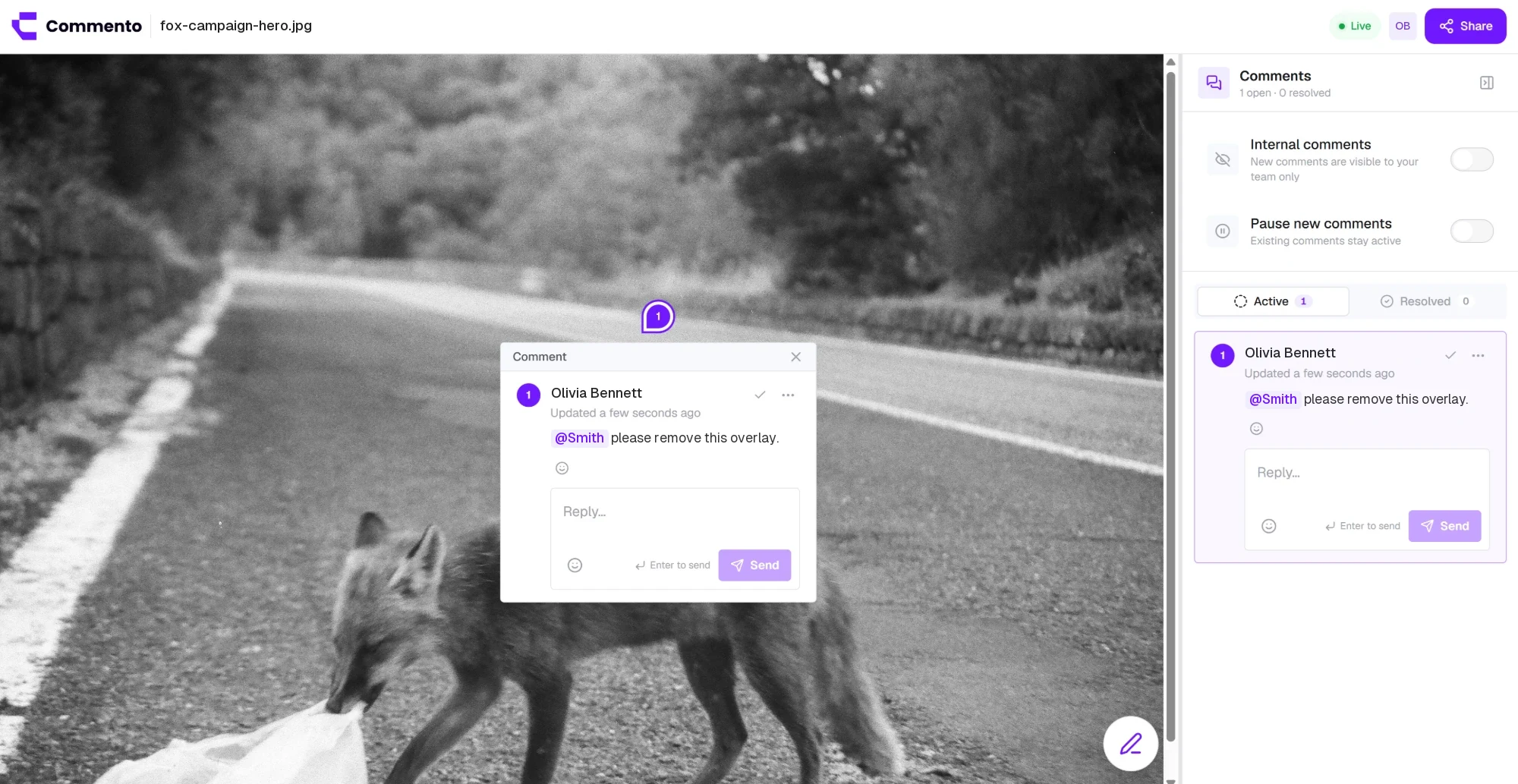

Upload a design, mockup, screenshot, or social creative and click anywhere on it to leave a comment. Mark up what needs changing so the designer sees the fix, not a paragraph about it.
Upload a mockup, screenshot, or ad creative and pin feedback to the exact pixel, with arrows, boxes, and sketches drawn right on the image.
Each comment is pinned to the spot you clicked, so feedback on a busy design never gets mixed up with the note next to it.
Arrows, boxes, and freehand marks sit on top of the image and appear when the thread is open.
Share a review link and clients comment after typing their name. No design tool, no account.
Keep team-only comments next to client feedback. Guests never see them, so you can discuss options freely before replying.
Image feedback lets your team and clients comment in the pic itself. You upload an image, click the part you want to talk about, and leave a pinned comment there, with a drawing if it helps.
It suits anything visual: website and app mockups, screenshots, banners, product shots, and social media creatives. Everyone sees the same image with every comment in place.
Design feedback usually comes back as a list: "make the logo bigger, the second button should be blue, move the photo up a bit". The designer has to match each line to a spot on the image, and half the notes are ambiguous.
When the comment sits on the image, there is nothing to match up. The pin shows where, the drawing shows what, and the thread shows the decision.
Commenting on an image takes three clicks. Here is everything you can do along the way.
Try it freeCreate a new project and drop your image into the upload area, or click to browse. PNG, JPG, WebP, and other common image formats work.
The image opens in the review workspace at full size, ready for comments.
Click the exact part of the picture you want to change. A pin appears and a comment box opens. Say what should change and why, and mention a teammate with @ if they need to weigh in.
Tip: Leave one comment per change. It keeps each thread focused and easy to resolve.
Open the annotation tools on the comment to draw an arrow, a box, or a freehand sketch in the colour you choose. Drawings are tied to the comment, so they appear when its thread is open and stay out of the way otherwise.
Attach a file, such as a reference image or a brand guide, when you need to show the target rather than describe it.
Copy the review link from Share this project and send it. Your client types their name and can comment on the image straight away, with no design tool and no sign up.
Reply to confirm each change, update the design, and resolve the comment. Use internal comments for team-only discussion that clients shouldn't see.
Upload the image to a project, click the spot you want to talk about, and type your comment. The comment is pinned to that point on the picture, and you can add a drawing or a file to it.
Any image you can upload, such as website mockups, app screens, screenshots, banners, product photos, and social media creatives, in PNG, JPG, WebP, and other common formats.
Yes. Add arrows, boxes, or freehand marks to any comment in the colour you choose. They show on the image when the comment's thread is open.
No. Reviewers open the link you share in their browser, type their name, and start commenting. They don't need Figma, Photoshop, or a Commento account.
Yes. Attach an image or any other file to a comment, for example a reference shot or the exact asset you want swapped in.
No. Comments and drawings are stored in Commento as a layer over the image. The file you uploaded stays exactly as it was.
Yes. Workspace members can mark a comment as internal. Guests reviewing through a share link never see internal comments.
Yes. Your team and any number of guests can comment on the same image, reply to each other in threads, and react with emoji.
You get a notification by email or push for replies and mentions, and the project shows a badge for comments that are new since your last visit.
Resolve the comment. It moves to the Resolved tab and the thread is locked, so you keep a clean record of what was asked for and changed.
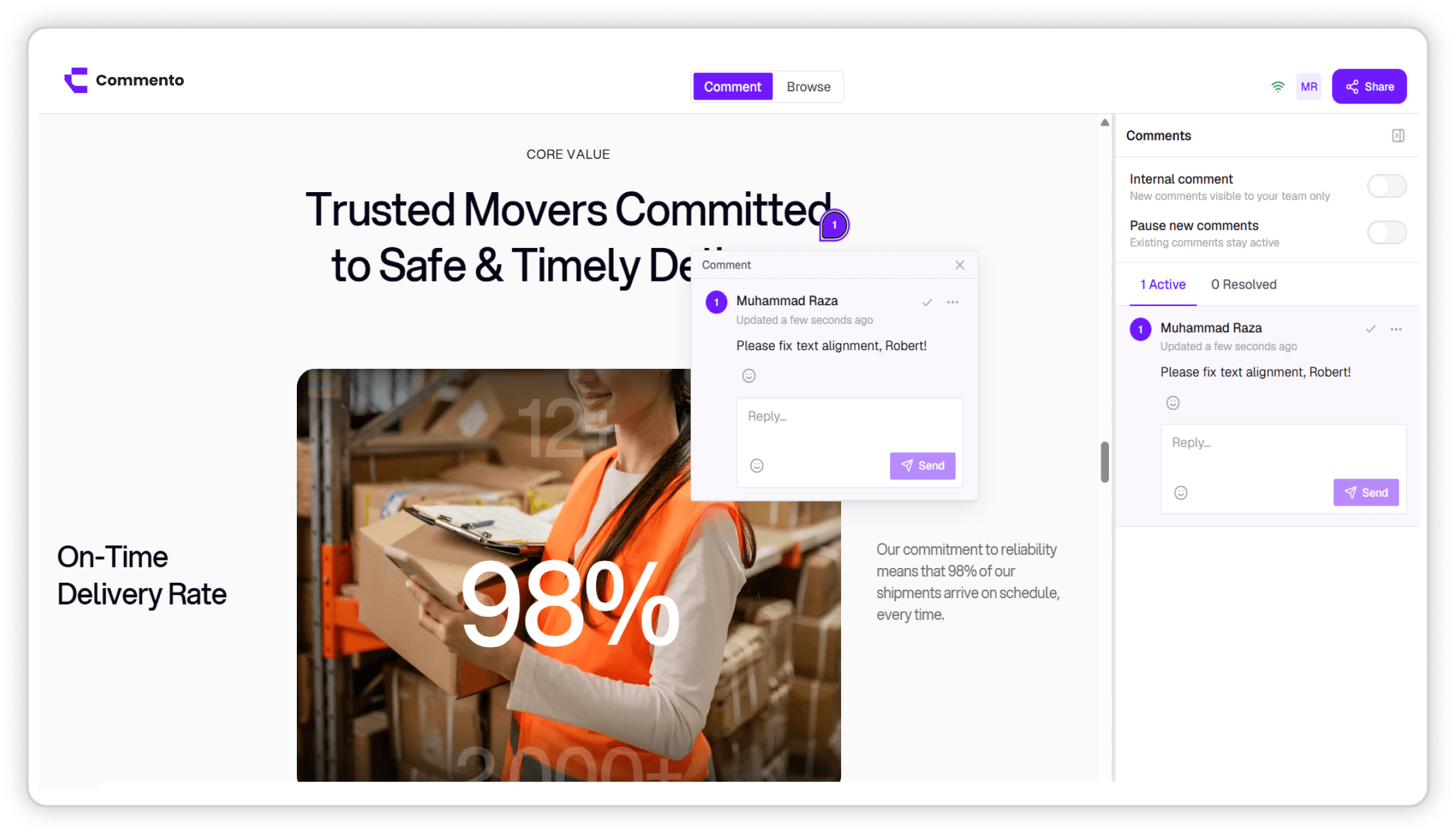
Point Commento at any staging or production URL and pin feedback to the exact element, with nothing to install in your codebase.
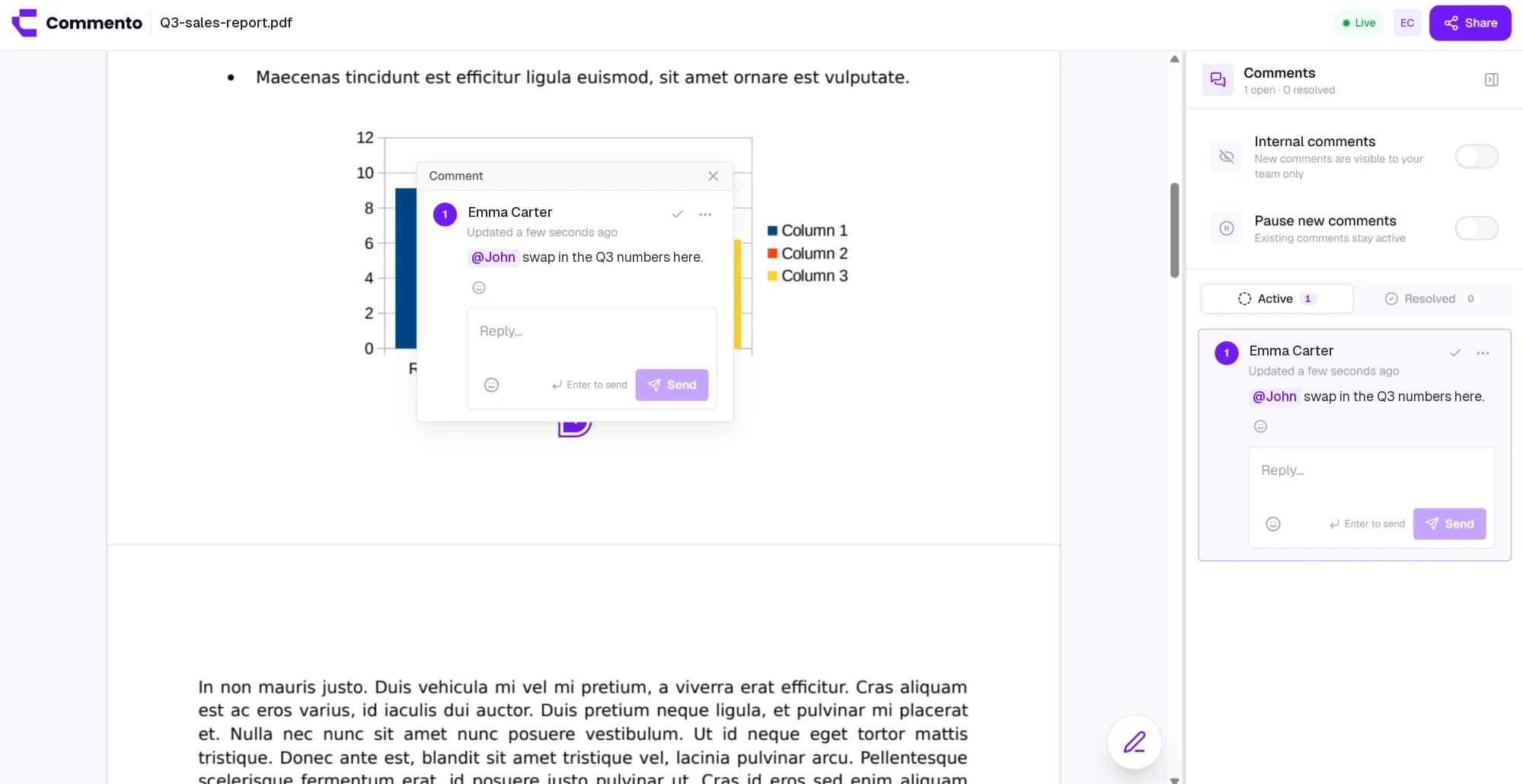
Upload a proposal, brochure, or contract and pin comments to the exact line on the right page, so every change request is clear.
Keep every client and product in its own workspace, invite the right people, and keep design reviews and bug reports organised by project.
Add a website, image, video, or PDF, share one review link, and get pinned feedback your team can act on. Free for 10 days with no card required.
Get started today